Setup and Configuration
To set up PayPal Checkout:
- Go to WooCommerce > Settings > Payments.
- Use the toggle next to PayPal Checkout to Enable it.
- Click Set up or Manage to configure your PayPal Checkout settings
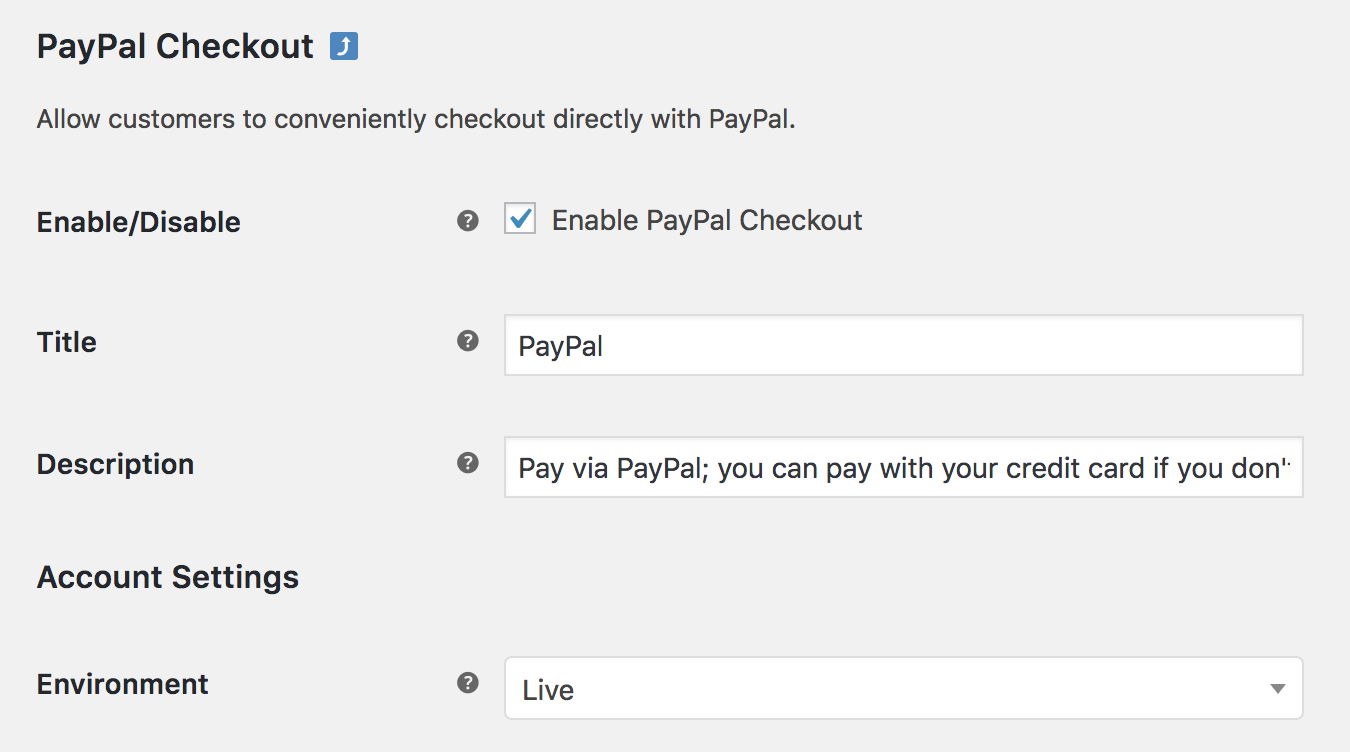
- Configure your settings:
- Title – Choose the title shown to customers during checkout
- Description – Add a description shown to customers if they use PayPal Checkout
- Account Settings – Environment – Select Live to accept payments and Sandbox to test payments.
API Settings
Connect a new or existing PayPal account.
- Click the Setup or link an existing PayPal Account button to add your API Credentials automatically by logging into your PayPal account.
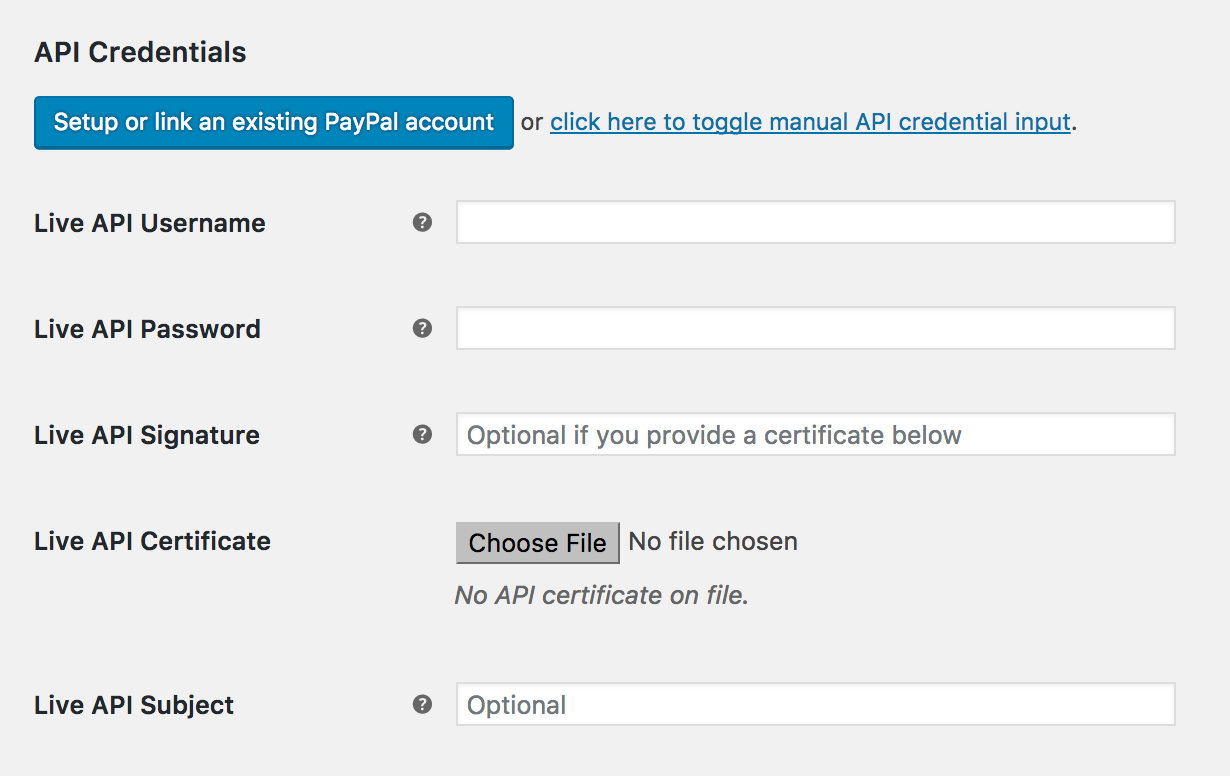
- When prompted log into your PayPal account.
- Click Activity near the top of the page and select API Access
- Scroll to NVP/SOAP API Integration (Classic) and click Manage API Credentials.
- Copy and paste the credentials into the corresponding fields on your WooCommerce site:
- Live API Username
- Live API Password
- API Certificate and Signature, and Live API Subject are optional.