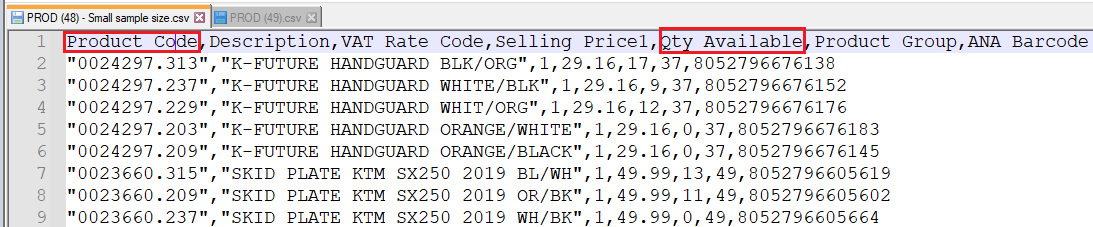
0) Check for valid field names in the manufacturer file
The exact field names below are required to update the products correctly:
- Product Code should contain the SKU code
- Qty Available should contain the stock count
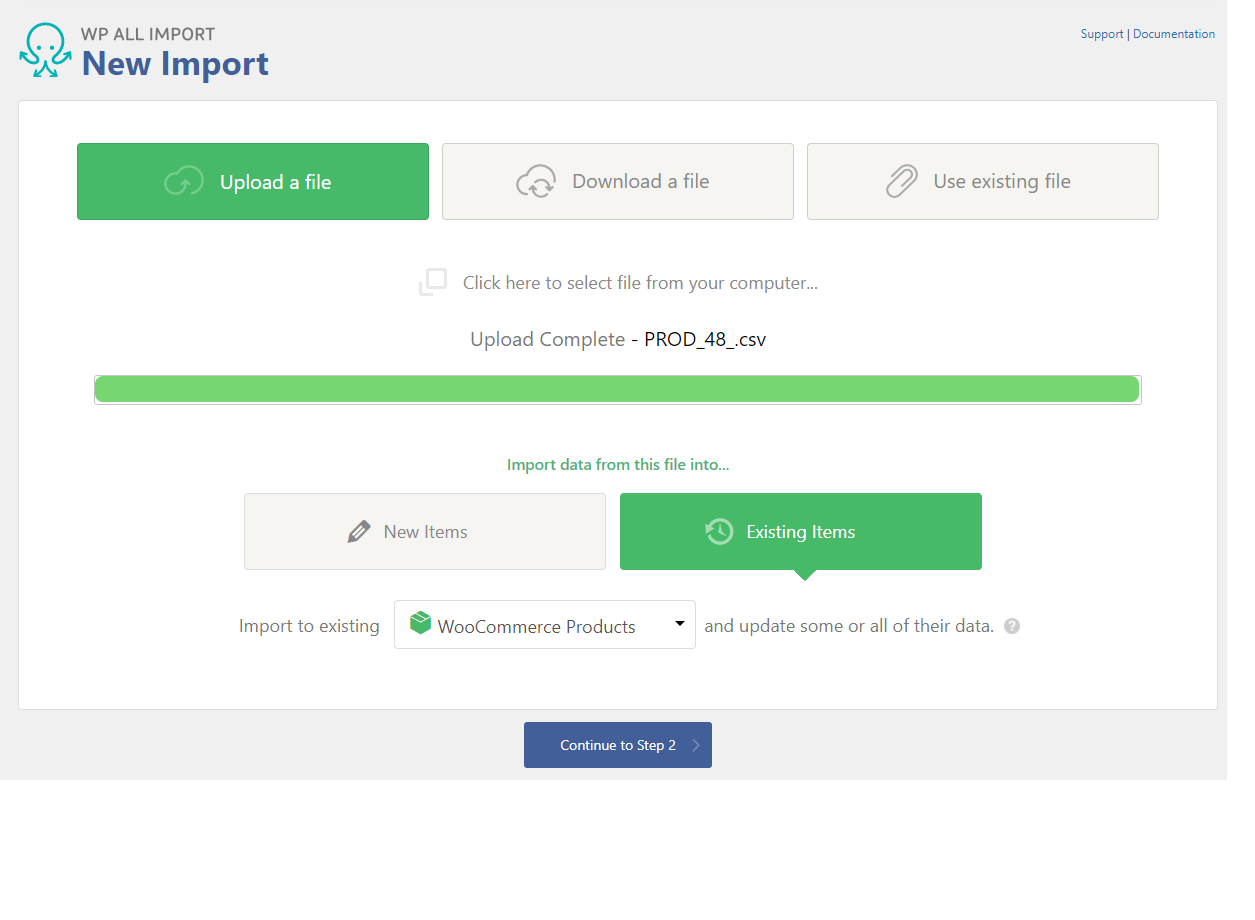
1) Uploading the file
- Navigate to WP All Import > New Import
- Click Upload a file and select the file you would like to import
- Click Existing Items
- Select WooCommerce Products from the drop down
- Click Continue to Step 2
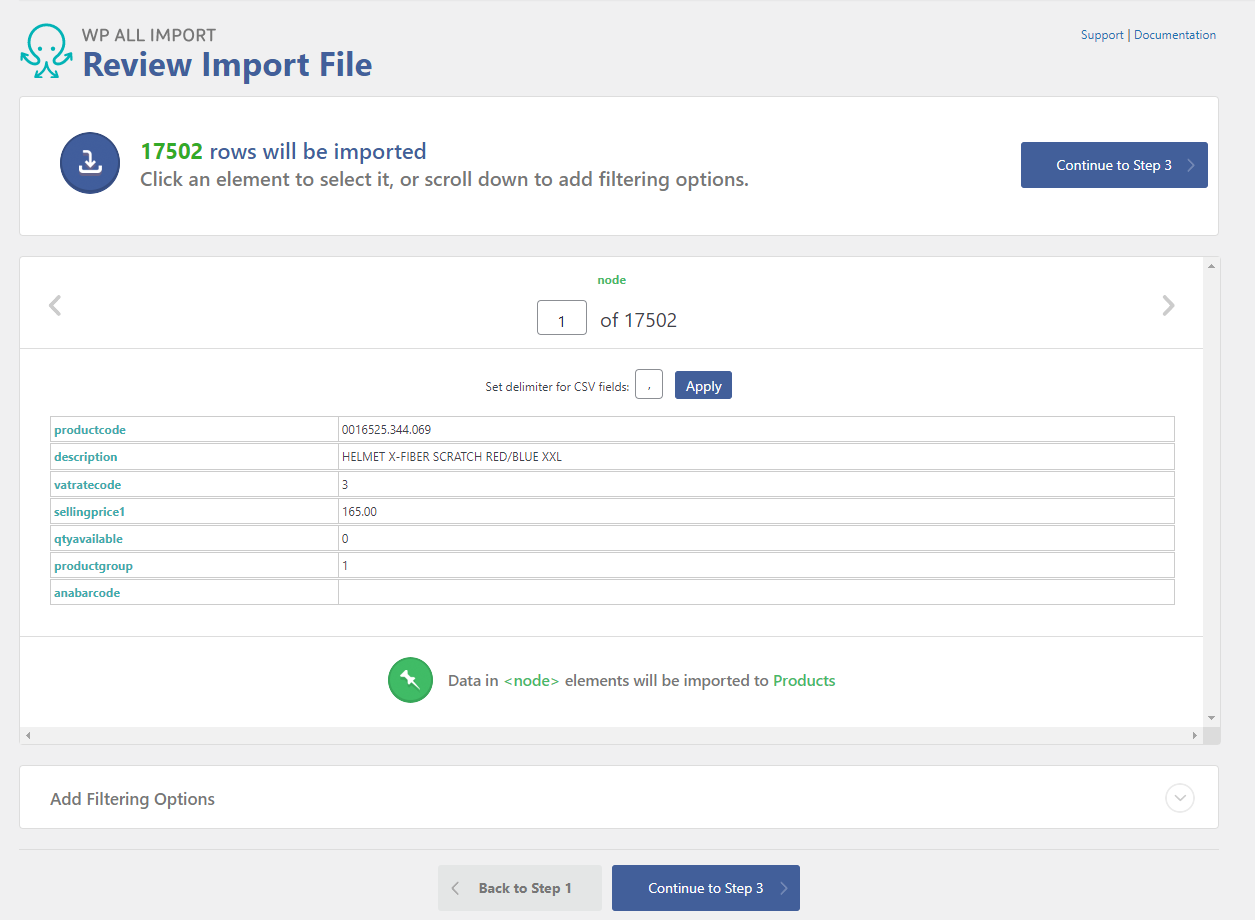
2) Check the file is correct, then click Continue to Step 3
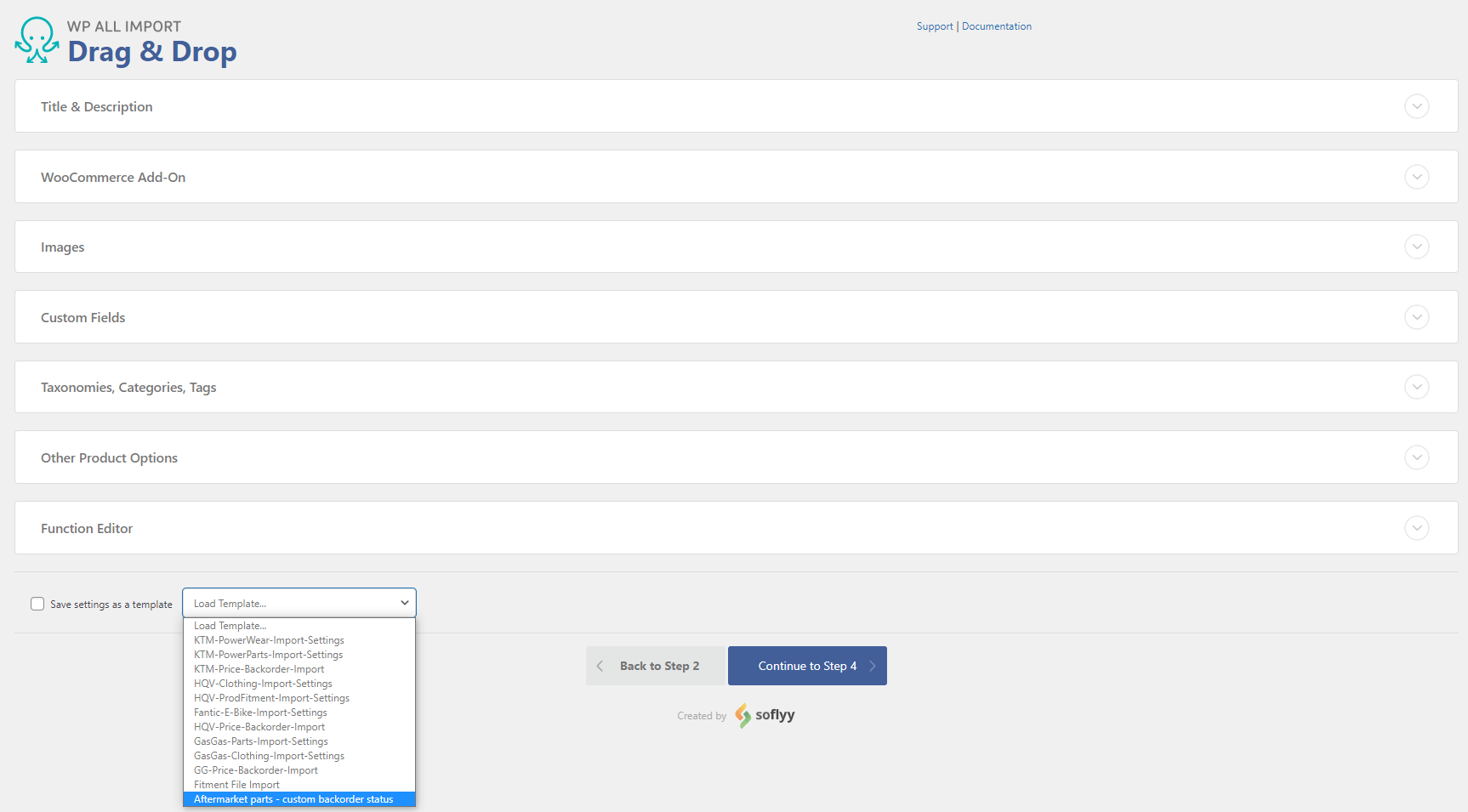
3) Load the template file
- Scroll down to the bottom of the page
- From the Load Template dropdown menu, select Aftermarket parts - custom backorder status
- Click and empty area on the page to begin loading the template (this should only take a second to load)
- Click Continue to Step 4
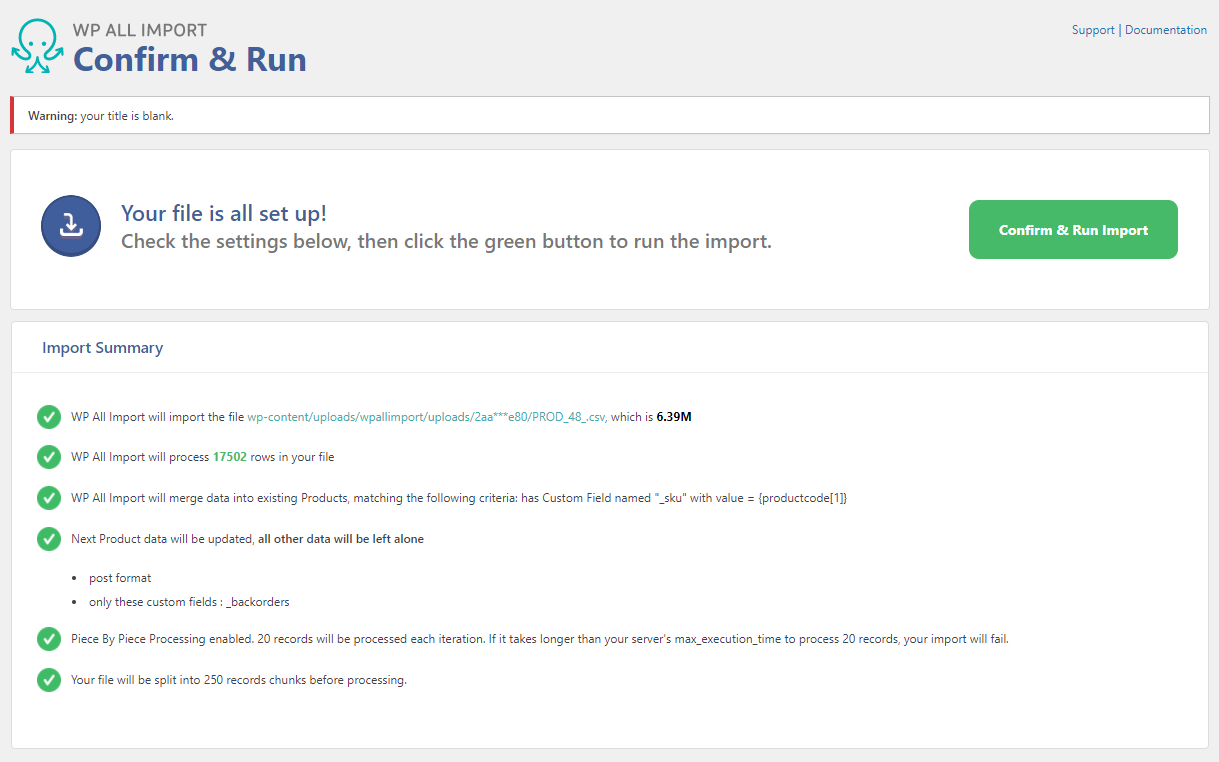
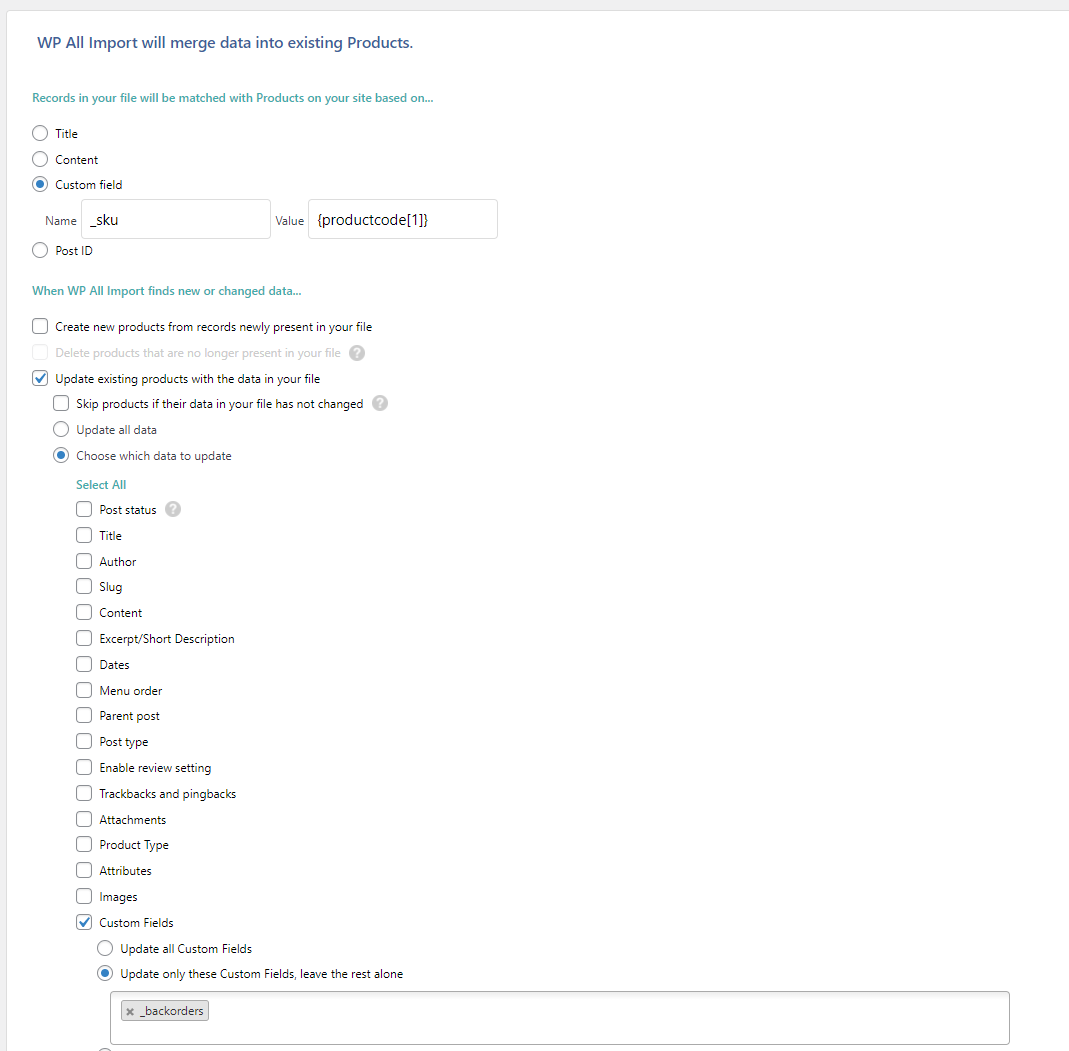
4) Check the custom import rules have been loaded (as pictured below), then click Continue
5) Click Confirm and Run Import