Create WooCommerce API Key
Source: https://docs.woocommerce.com/document/woocommerce-rest-api/
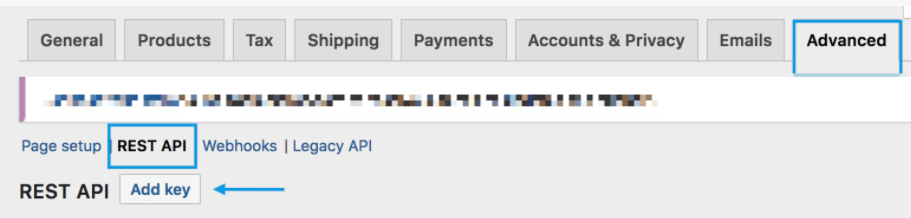
- Go to: WooCommerce > Settings > Advanced > REST API.
- Select Add Key. You are taken to the Key Details screen.
- Add a Description.
- Select the User you would like to generate a key for in the dropdown, this must be an admin user.
- Set Permissions to Read/Write access.
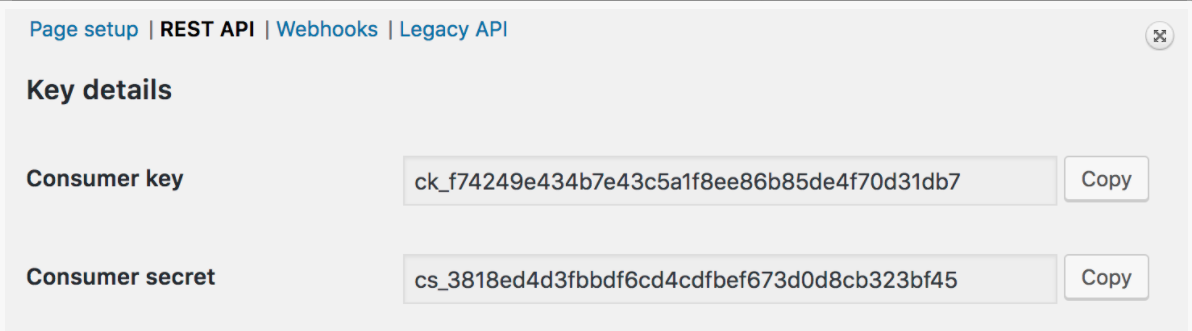
- Select Generate API Key and you will see your WooCommerce API keys.
- Make sure you copy these down as after you leave this page you cannot view them again.
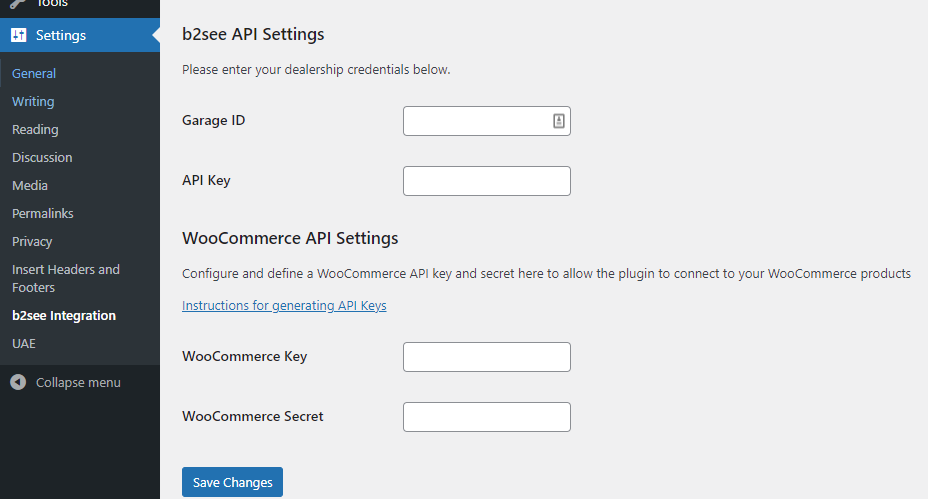
Add API Keys to the b2see Settings Page
- Go to: Settings > b2see Integration and enter your b2see & WooCommerce credentials and click Save Changes