This guide will show you how to create a PayPal live app via the PayPal Developer Dashboard.
- Log in to https://developer.paypal.com/developer/applications/ using your PayPal Business Account. If you don't have an account yet, you can set one up here: https://www.paypal.com/uk/business/getting-started
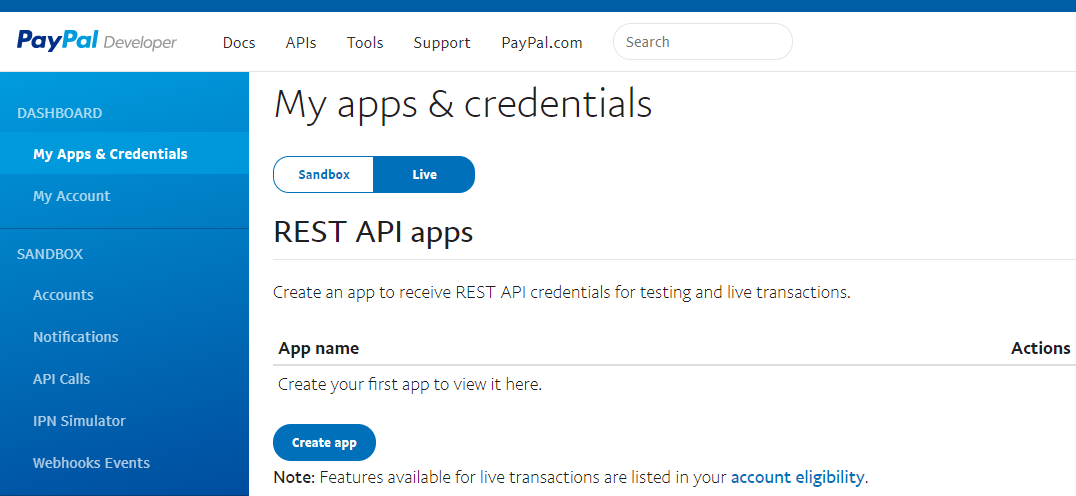
- From My Apps & Credentials page, click the Live button near the top, then the Create App button:
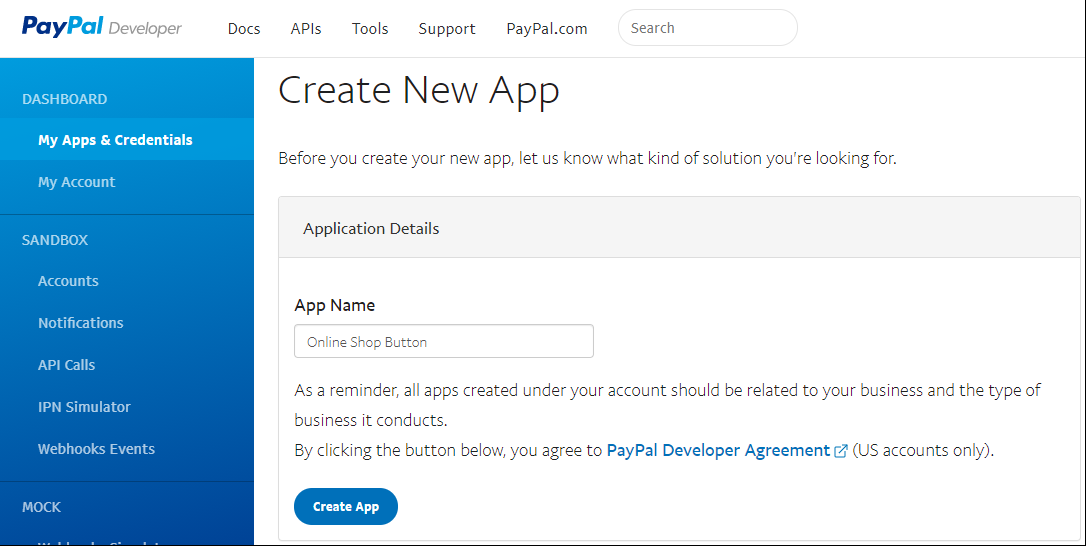
- Enter a name for your app then click Create App.
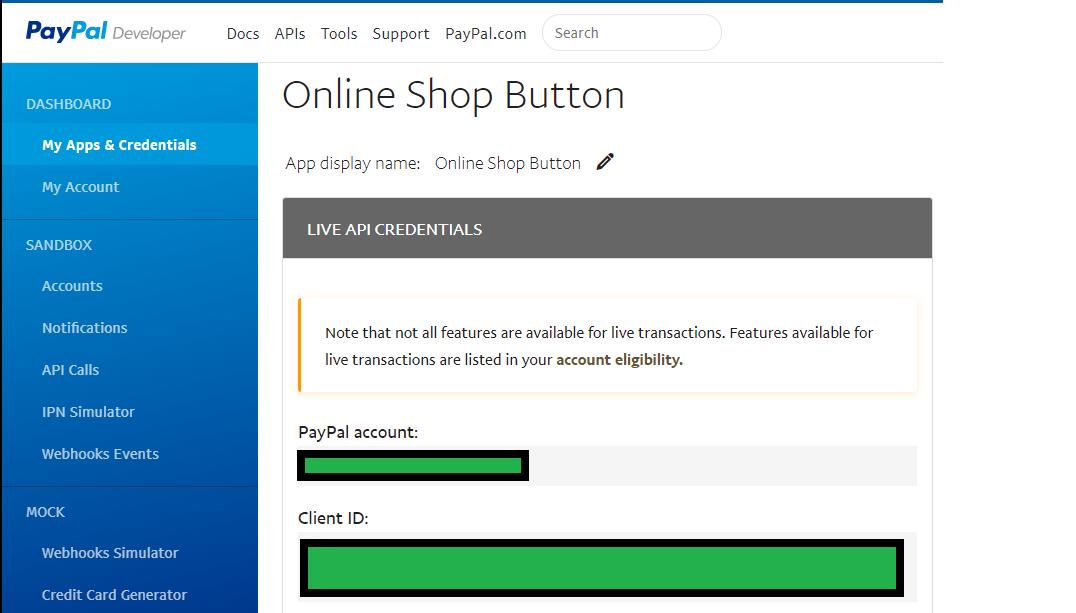
- Make a note of your Client ID, we will need this to setup the button on your website.
- Finally, adjust your Live App Settings to match those of your existing Sandbox App or to whichever settings you prefer (the picture below shows their default values).
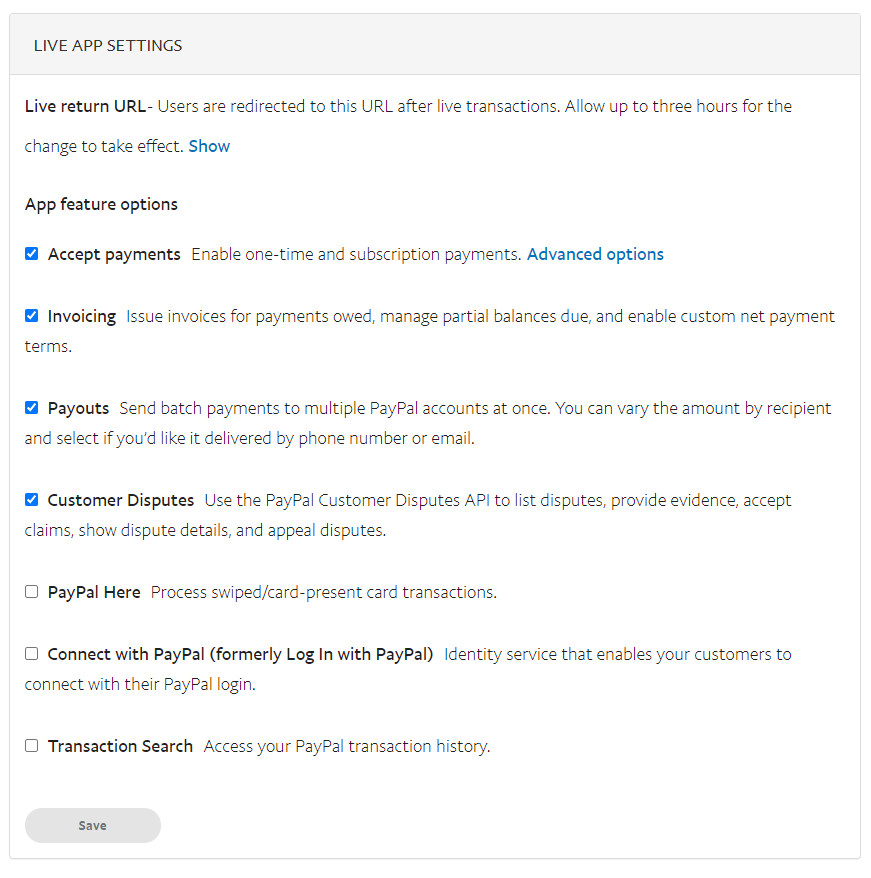
- All done, your live app is now created (you only have to click the Save button if you make changes, so if this is greyed out and unclickable, this is normal). You should now see your newly created live app on the My Apps & Credentials page.