Fitment Category Setup
Create your desired category structure like so - Fitment > Motorcycle-Parts > YEAR > BRAND > MODEL
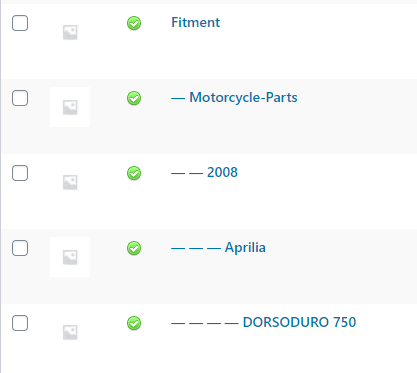
You can add other manufacturers or years into this category teir like so:
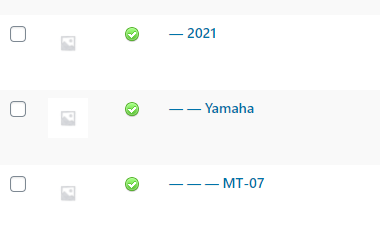
Product Category Setup
You need to make sure products that fit specific models contained underneath a top level with a unique category name. Something like 'Parts & Accessories'. Then you can add sub-categories for beneath this like so;
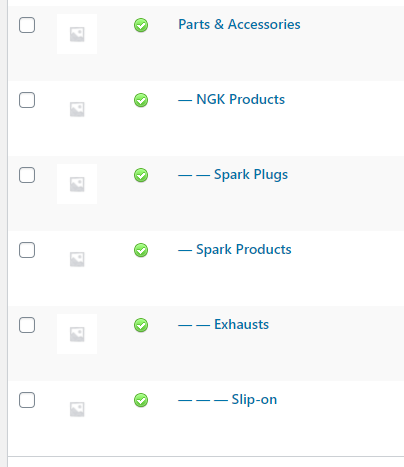
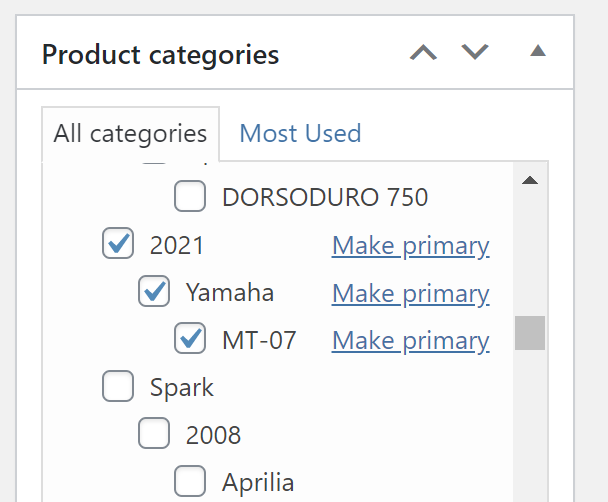
Once the above categories / structures are setup - find your product and assign it to these fitment categories (aswell as whatever categories they normally live under the new 'Parts & Accessories'. For instance Parts & Accessories > Chassis or Parts & Accessories > Service Kits > Spark Plugs etc...)
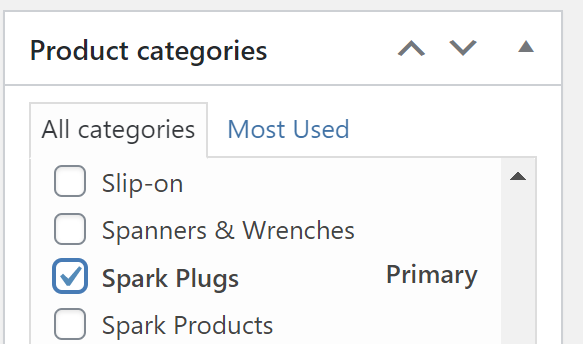
When assigning the categories to the product, make sure the main category is not the fitment categories so the URL structure works properly. To do this click the 'Make Primary' text next the category that is NOT under the fitment umbrella:
Permalinks
Also for the fitment finder to work as intended you need to make sure your Wordpress Permalinks are set correctly. Go to Settings > Permalinks (from the wordpress Dashboard)
And set Shop Products as 'Shop base with category'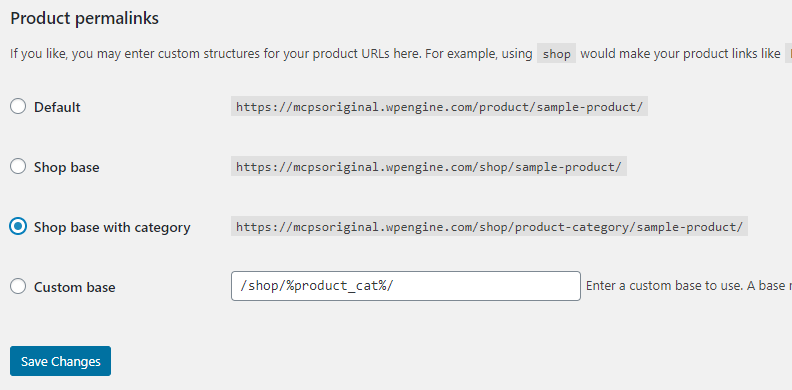
Try the above with a small product data set to start with to double check everything is working okay before you re-work your entire category structure.
Contact us at support@medialinksonline.com if you need any further assistance.