Yoast SEO is most famous for its green, orange, and red bullets, giving you feedback on the SEO friendliness of your content. Back in the days, you’d just find these in the Yoast SEO meta box below your post editor. Nowadays, if you’re using the WordPress Block editor, you can also find them next to your content. On the right side of the editor, in the Yoast SEO sidebar.
Using the block editor, but can’t see the sidebar? Make sure to click on the Yoast SEO sidebar icon on the top right of your screen:
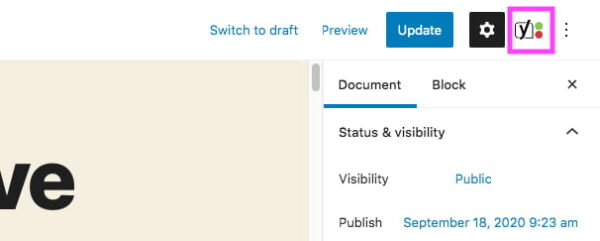
Here, we’ll highlight 4 essential elements you’ll find in both the Yoast SEO meta box and the Yoast SEO sidebar:
- The Focus keyphrase
- The Readability analysis
- The SEO analysis
- The Google preview
When you write a post or page for your website, checking these four elements should be the bare minimum you do before you publish a post. If you want to fully optimize a post, we’d advise following the steps as described in this blog post checklist.
The focus keyphrase
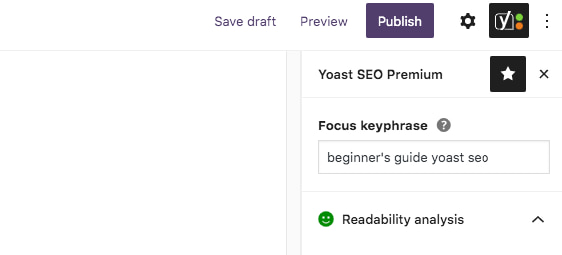
The first field in the Yoast SEO sidebar and the meta box is the focus keyphrase field. In your Yoast SEO sidebar, on the right side of your editor, you’ll find this field at the top:
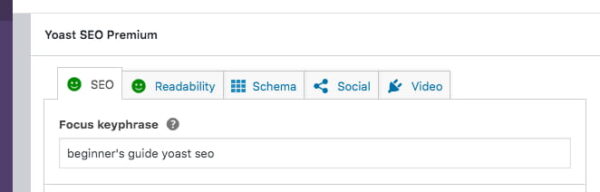
Below your post, you’ll find it in the SEO tab of the meta box:
In this field, you can enter the phrase you’d like this specific post or page to rank for in the search engines. You can add this keyphrase at any moment, but we would suggest adding it right away as a reminder to yourself to keep your content focused on this topic. Wondering how to choose the perfect focus keyphrase? Read our guide on how to choose a focus keyphrase, as it will help you select the right keyphrase you want to (and can) rank for. You can select a keyphrase on a post-by-post basis, but if you’re serious about your rankings you need to carry out keyword research first.
Yoast SEO Premium allows you to set related keyphrases and synonyms too, which is great if you want to take your SEO copywriting to the next level. Nowadays, you really need user-focused and high-quality content to rank high in a (competitive) market. Because Google is getting smarter in this regard, Yoast SEO Premium recognizes variations of your keyphrase and helps you write natural and user-friendly content.
The readability analysis
Below the focus keyphrase field, you can find the Readability analysis tab (in the Yoast SEO sidebar). It’s best to look at this tab after you’ve written the first version of your post or page. It gives you a red, orange or green bullet, which reflects how your text scores on readability. This analysis contains a few different checks, that our plugin automatically does on your content. Open the tab to find out how you’re scoring on all the individual checks and what you can still improve on. You may be wondering why you should look at this tab at all, but trust us: readability is crucial for SEO!
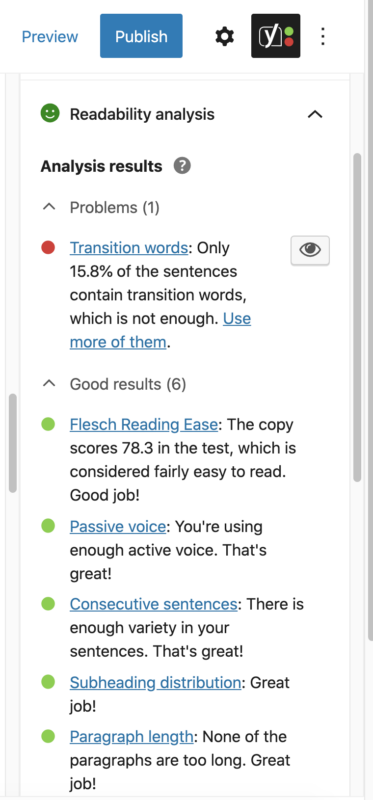
If a bullet is green you’re doing great in that field. Is it orange or red? You can follow the instructions placed along with the bullet to improve on this front. If there’s an eye icon, you can click that to see what part of the text still needs some checking. Now you don’t need to get every bullet green, but try to get the overall bullet green to end up with a readable text. That way the readability analysis helps you write easy-to-read content that your readers will love!
Our readability analysis works for many languages and our team is hard at work to add more languages as we go. If you’re interested in finding more about the logic behind this analysis, you can read more on how to use this analysis in Yoast SEO or how we decided on all of these criteria.
SEO analysis
After checking the readability of your copy, it’s time to look at its SEO-friendliness. Remember the focus keyphrase you’ve set? The SEO analysis evaluates how well your content is optimized to rank for that specific keyphrase.
For instance, it checks whether you’ve used the keyphrase enough, and not too often. But also, whether it’s present in your title, meta description, images, and subheadings. Moreover, it checks other SEO aspects of your content that are not related to your keyphrase, for instance, if you have any internal links to other articles on your website.
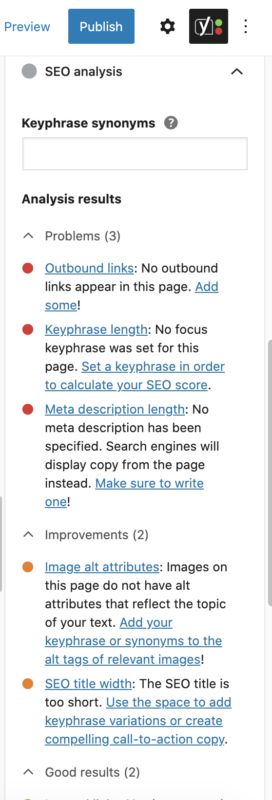
Getting orange or red bullets? Have a look at the feedback the analysis gives and try to make improvements where you can. If you want to dive deeper into this, read our article on how to use Yoast SEO’s content analysis.
Does every bullet need to be green?
No, not every bullet in the SEO analysis has to be green for your post or page to rank. Similarly, getting your post and bullets ‘all-green’ in no way guarantees that it will rank. While it’s tempting to simply aim for all-green bullets on every post or page without working on other aspects of your SEO, this isn’t the best SEO strategy. Proper keyword research and site structure always come before getting green bullets. Read more about properly using the colored bullet system in Yoast SEO.
The Google preview
In addition to the analysis of your content, we provide an editable snippet or Google preview. In the meta box below your post, it’s in the SEO tab and in the sidebar, you can find it here:
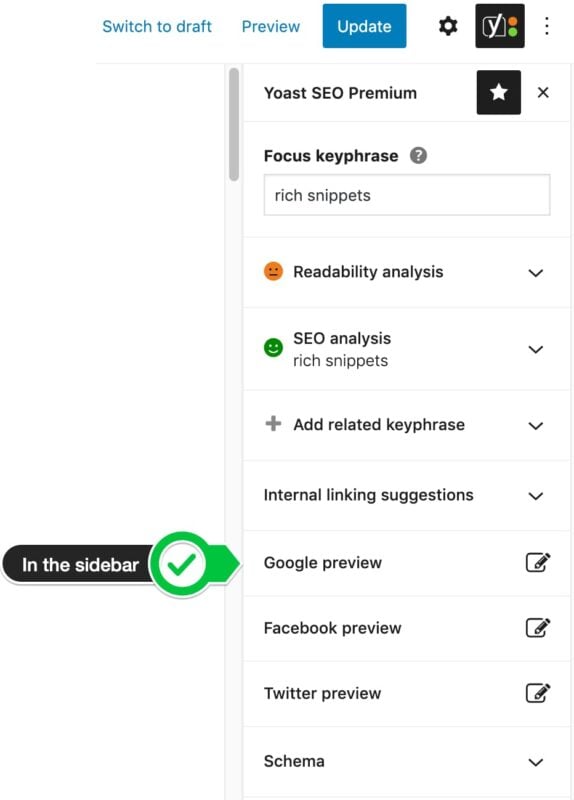
The snippet preview shows you how the Yoast plugin displays your page to Google and other search engines. In other words, it gives an idea of how your site can appear in the search results:
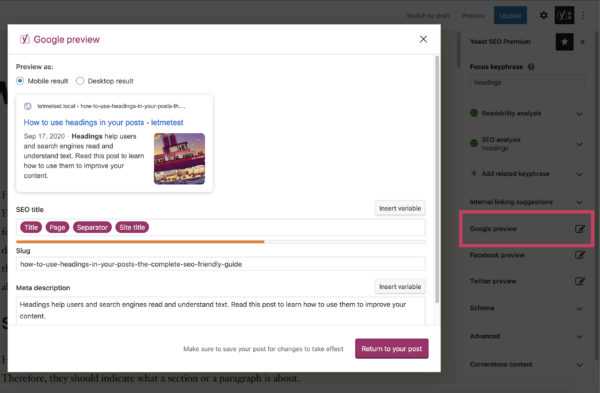
In the Google preview, you can set an SEO title and meta description. Make an effort and write a title and meta description that clearly reflect what your post or page is about. Let people know that they’ll find what they’re looking for on your site and entice them to visit your page. There’s no guarantee that Google will display your meta description in the results pages. But if the meta description you add here is good, you’ll increase the odds of it being used.
Other items in the sidebar and meta box
As said before, we believe this is the minimum investment you should make before publishing a page or post. You may have noticed that there are more items in the Yoast SEO sidebar and meta box, like the internal linking suggestions, social previews, Schema, cornerstone content, insights, and advanced section. It’s worth taking a look at those too, as these can also help you in your SEO efforts!
The information below has been taken from the YOAST SEO documentation site - https://yoast.com/beginners-guide-yoast-seo/